
Choosing between GorillaDesk and Housecall Pro depends on how closely the platform matches your service business. You need to weigh scheduling, recurring jobs, payments, mobile fieldwork, integrations, pricing, and support—not just compare feature lists.

GorillaDesk suits you best when you run a pest control or route-based service operation, while Housecall Pro offers a broader fit for home service businesses that need booking, dispatch, customer communication, invoicing, payments, and reporting. The better choice depends on your industry, team size, workflow, and growth plans.
This comparison examines each platform’s core features, mobile tools, integrations, plan value, usability, and limitations. You’ll see where each product performs well and which option makes more sense for your day-to-day operations.
Platform Overview
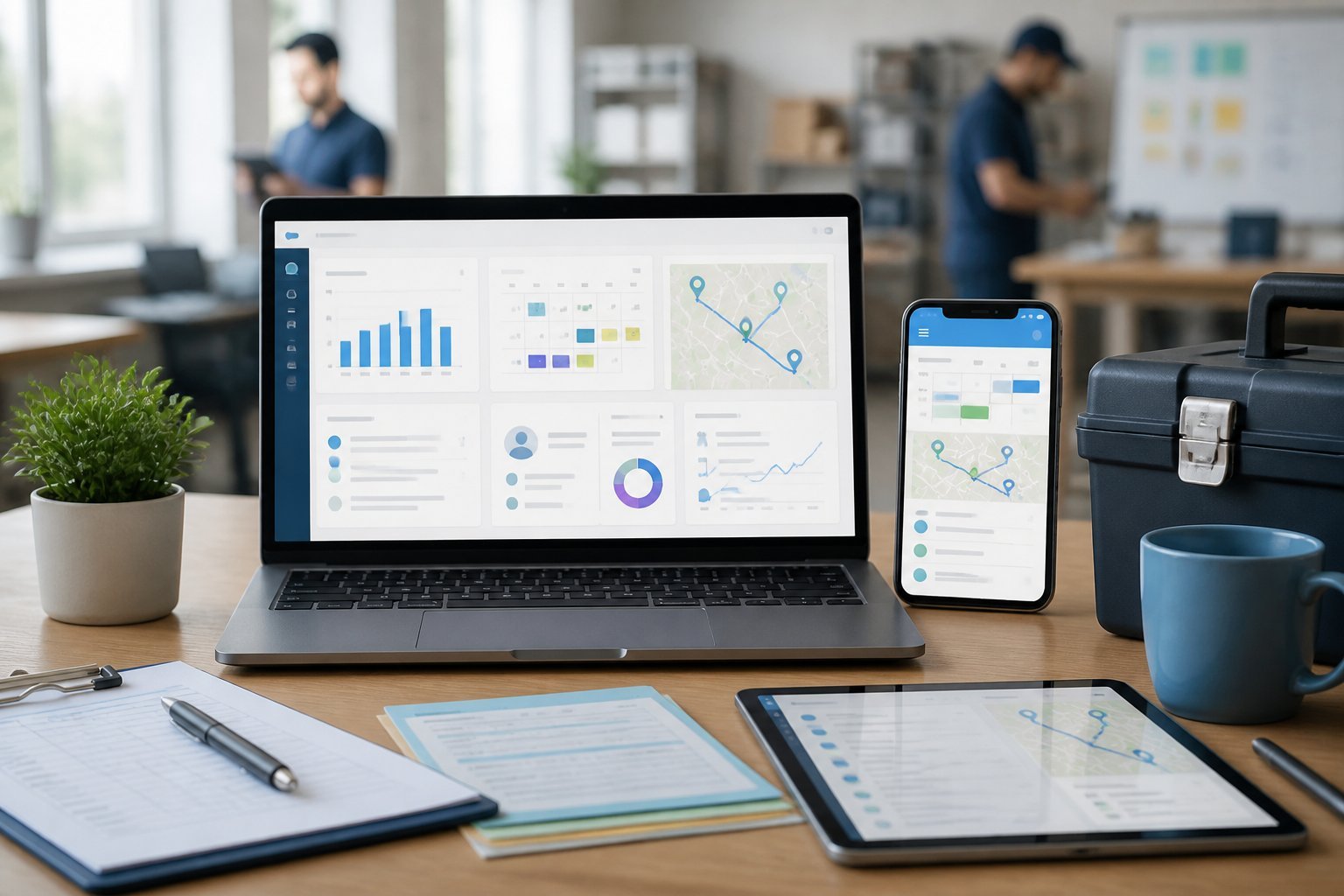
You get two field-service management platforms with different strengths. GorillaDesk focuses on recurring routes and trade-specific workflows, while Housecall Pro offers a broader operating system for scheduling, customer communication, payments, and business growth.
GorillaDesk At A Glance
GorillaDesk targets service businesses that manage recurring visits, including pest control, lawn care, pool service, and similar route-based trades. You can organize recurring customers, build technician routes, schedule appointments, and handle dispatch from a central platform. Its focus on repeat service makes it especially relevant when route density and consistent scheduling matter more than complex one-time projects.
The platform also supports customer booking, payment collection, automated notifications, service forms, and review requests. Its mobile tools help technicians access schedules and customer details in the field, although you should verify whether its integrations match your existing accounting, payment, and marketing systems.
Choose GorillaDesk when you need a focused system for recurring routes and straightforward field operations. Pricing, included users, features, and integrations can vary by plan, so confirm current terms before switching.
Housecall Pro At A Glance
Housecall Pro serves a wider range of home-service companies, including plumbing, HVAC, cleaning, electrical, landscaping, and other appointment-based businesses. You can use it for online booking, scheduling, dispatch, estimates, invoices, payments, customer messaging, review management, and technician coordination.
Its broader feature set makes it useful when you want one platform to connect office operations with customer-facing processes. Depending on your plan, you may also access tools for forms, memberships, automated marketing, reporting, and integrations with other business applications.
Housecall Pro generally fits companies that handle a mix of recurring and one-time jobs or want stronger built-in sales and communication tools. You should compare plan limits, transaction fees, available integrations, and mobile functionality against your actual workflow rather than relying only on headline feature lists.
Core Feature Comparison

Both platforms cover the main workflows of a field service business, including scheduling, customer records, estimates, invoices, payments, and reporting. GorillaDesk focuses strongly on recurring routes and trade-specific operations, while Housecall Pro generally offers a broader all-purpose toolkit and more customer-facing features.
Scheduling And Dispatching
GorillaDesk suits businesses that manage recurring appointments, route-based work, and repeat service visits. You can organize customers by route, assign technicians, and schedule recurring jobs without rebuilding each appointment manually. That structure can work well for pool service, pest control, lawn care, and similar businesses where technicians follow consistent service patterns.
Housecall Pro provides a more general scheduling and dispatching system for one-time and recurring jobs. Its calendar, technician assignment tools, appointment reminders, and customer booking features support businesses with changing schedules and varied job types. You can also use dispatch information to give technicians access to job details from the mobile app.
Your best choice depends on your operating model. Choose GorillaDesk if route density and recurring service drive your day. Choose Housecall Pro if you need flexible scheduling across installations, repairs, maintenance, and customer-booked appointments.
Customer Management
GorillaDesk places customer, property, service, and route information in one record. That approach helps you track recurring work and maintain notes tied to a specific location. For businesses servicing pools, lawns, or pest-control accounts, location-based records can make repeat visits easier to manage.
Housecall Pro offers customer profiles that can include contact details, job history, estimates, invoices, payments, reviews, and communications. Customers can often receive automated notifications, approve estimates, book appointments, and access parts of their service history through customer-facing tools.
You should compare how each platform handles multiple properties, contacts, service notes, and recurring plans. GorillaDesk may feel more focused for route-based accounts, while Housecall Pro can provide a broader customer experience for companies that need online booking, reminders, review requests, and ongoing communication.
Estimates And Invoicing
Housecall Pro supports estimates, approvals, invoices, recurring billing, and job-based documentation in one workflow. You can create an estimate, send it to the customer, record approval, convert the work into a job, and issue an invoice after completion. Its broader feature set may help when estimates include multiple services, products, or optional work.
GorillaDesk supports estimates and invoicing for service businesses, with particular value for recurring accounts and scheduled routes. You can connect billing information to customer and service records, helping you manage repeat work without maintaining separate spreadsheets.
Before choosing, test both systems with your actual workflow. Check whether you can add line items, discounts, taxes, deposits, attachments, technician notes, and recurring charges as needed. Also confirm how easily you can edit invoices, handle partial payments, resend documents, and export records for accounting.
Payments And Reporting
Housecall Pro includes payment collection tools designed to let you accept payments in the field or online, depending on your plan and payment setup. You can connect payments with invoices and view job-related financial activity. Reports can help you monitor revenue, outstanding balances, technician performance, and business trends, though available reports vary by subscription.
GorillaDesk also connects payments to customer accounts, invoices, and recurring service work. Its reporting is useful for reviewing route activity, account status, sales, payments, and operational performance. The exact depth of financial reporting depends on your plan and integrations.
Compare processing fees, payout timing, recurring billing options, refunds, deposits, and accounting integrations before signing up. You should also verify whether each platform provides the reports you need for technician productivity, revenue by service type, unpaid invoices, and recurring customer retention.
Industry Fit And Use Cases
Your best choice depends on the service workflow you need to manage, the size of your team, and how much operational complexity you expect. GorillaDesk fits pest-control businesses particularly well, while Housecall Pro offers broader field-service tools for companies that may need to expand across several trades.
Pest Control And Field Service Focus
GorillaDesk is designed with pest-control operations in mind. You can use it to manage recurring treatments, customer accounts, service routes, technician schedules, billing, and follow-up work in one system. That focus can reduce the need to adapt general field-service software to pest-control terminology and recurring-service patterns.
Housecall Pro supports pest control along with businesses such as cleaning, HVAC, plumbing, electrical, and landscaping. Its broader design suits companies that need online booking, estimates, invoices, payments, customer communication, and technician dispatch across varied service types.
Choose GorillaDesk when recurring pest-control visits, route organization, and industry-specific workflows drive your daily operations. Choose Housecall Pro when you need a flexible customer-facing platform with broader trade coverage and tools for selling and scheduling many types of jobs.
Business Size Considerations
For a small pest-control company, GorillaDesk can provide a focused operating system without requiring extensive customization. You can organize recurring customers and routes while keeping scheduling, billing, and technician work in the same platform.
Housecall Pro may appeal more if your small business prioritizes online booking, estimates, payment collection, and customer communication. Its broader feature set can also help you standardize processes as you add technicians or service categories.
As your team grows, compare more than the starting subscription price. Review user limits, automation, reporting, integrations, permissions, and support before committing. GorillaDesk may remain the better fit for a specialized pest-control operation, while Housecall Pro may suit a multi-trade company or a business planning to broaden its services. Pricing and feature availability can vary by plan, so verify current details before choosing.
Mobile App And Field Operations
Your choice affects how easily technicians manage schedules, customer details, payments, and job records away from the office. GorillaDesk focuses strongly on pest-control workflows, while Housecall Pro offers broader field-service tools for multiple home-service trades.
Technician Workflows
GorillaDesk’s mobile app supports core pest-control tasks such as viewing routes, accessing customer information, recording service details, and updating job statuses from the field. Its workflow suits recurring appointments and route-based operations, where technicians need quick access to property notes and treatment history.
Housecall Pro gives technicians a broader set of mobile tools, including scheduling, estimates, invoices, payment collection, customer communication, and job-status updates. You can use the app to send appointment notifications, capture photos, and complete paperwork without returning to the office.
Key differences:
- GorillaDesk: Better aligned with pest-control routes, recurring services, and account-specific treatment records.
- Housecall Pro: Better suited to mixed-service teams that need estimates, invoices, card payments, and customer updates in one app.
- For technicians: Both reduce office calls, but Housecall Pro generally covers more general field-service transactions.
Offline Access And Communication
Mobile fieldwork depends on what technicians can access when reception is weak. GorillaDesk supports essential job management through its app, but you should verify the exact offline capabilities for your devices and workflow before committing. Route details, customer notes, and service updates matter most when technicians work in rural areas or large properties.
Housecall Pro emphasizes mobile communication and customer-facing updates. Technicians can typically manage job information, send messages, share estimates or invoices, and collect payments from the job site when the device has a connection. Offline behavior may vary by feature, so you should confirm whether updates queue for later synchronization.
If your team frequently works without reliable internet, test both apps during a real route. Check whether technicians can open customer records, edit service notes, upload photos, and complete payment steps before the connection returns.
Integrations And Automation
Your choice depends on whether you need deeper accounting connectivity or simpler field-service workflows. Housecall Pro generally offers broader integrations for growing service companies, while GorillaDesk focuses on practical connections that support scheduling, payments, and recurring service operations.
Accounting And Payment Connections
Housecall Pro connects with accounting platforms such as QuickBooks Online, helping you transfer customer, invoice, and payment information without repeated manual entry. You can also use built-in estimates, invoices, online payments, deposits, and recurring billing tools. Confirm the exact synchronization rules before switching, especially for taxes, refunds, payment fees, and invoice edits.
GorillaDesk supports payment processing and accounting workflows aimed at service contractors, including connections that can reduce duplicate data entry. Its value increases when you need recurring billing, customer balances, service records, and payment collection in one operational system. However, you should verify whether your preferred accounting platform, payment processor, and specific sync direction are supported on your plan.
Compare these details before choosing:
- Accounting platform compatibility
- Two-way versus one-way synchronization
- Automatic invoice and payment updates
- Processing fees and contract terms
- Support for recurring charges and deposits
Marketing And Workflow Automation
Housecall Pro provides stronger built-in tools for customer communication and automated follow-up. Depending on your plan and configuration, you can automate appointment reminders, review requests, customer notifications, estimate follow-ups, and recurring-service communication. Its integrations and API options can also support connections with other business applications, but advanced automation may require higher-tier features or outside tools.
GorillaDesk emphasizes field-service workflows such as recurring jobs, route planning, technician scheduling, customer notifications, and service reminders. Those tools can reduce administrative work for pool, lawn, pest-control, and similar businesses. Its automation is more focused on delivering scheduled services than on building extensive marketing campaigns.
If you rely on lead nurturing, review generation, and multi-step customer campaigns, Housecall Pro usually gives you more room to customize. If your priority is automating recurring visits and routine client updates, GorillaDesk may cover your needs with less complexity. Check each platform’s current plan limits before treating an integration as included.
Pricing And Plan Value
Your choice depends on whether you prioritize a lower starting price, broader office tools, or pest-control workflows. Compare the included features, user limits, payment processing costs, and contract flexibility rather than relying only on the advertised monthly rate.
Subscription Costs
Published comparisons commonly place GorillaDesk at about $49 per month and Housecall Pro at about $79 per month, though current prices can vary by plan, billing cycle, promotions, and business size. Verify the live pricing pages before subscribing, especially if you need multiple users or advanced features.
| Cost factor | GorillaDesk | Housecall Pro |
|---|---|---|
| Starting price in published comparisons | About $49/month | About $79/month |
| Best fit for | Pest-control teams seeking specialized workflows | Broader home-service operations |
| Pricing priority | Lower entry cost | Wider general-service capabilities |
GorillaDesk can offer stronger value when you mainly need pest-control scheduling, recurring service management, route planning, customer records, and billing. Housecall Pro may justify its higher price if you need a broader field-service platform with tools for estimates, job management, invoicing, payments, and customer communication.
Add-Ons And Contract Terms
Your actual cost can exceed the base subscription when you add payment processing, premium marketing or communication tools, extra users, advanced automation, or integrations. Review which features each plan includes before comparing prices, because a cheaper entry tier may require paid upgrades for essential workflows.
Check whether the vendor offers monthly billing, annual discounts, a free trial, or a cancellation policy. Monthly billing generally gives you more flexibility while you test adoption, but annual plans may reduce the effective monthly rate. Also confirm whether Housecall Pro or GorillaDesk charges separately for onboarding, text messaging, card payments, or additional locations. If you operate a growing team, ask for a written quote that lists users, locations, add-ons, implementation fees, and renewal terms. This prevents a low advertised rate from producing an unexpectedly high monthly bill.
Ease Of Use And Support
You get a simpler starting point with GorillaDesk if you mainly manage recurring service routes, such as pest control. Housecall Pro offers a broader workflow for estimates, scheduling, invoicing, payments, and customer communication, but its wider feature set may require more setup.
Setup And Learning Curve
GorillaDesk focuses on recurring jobs, route scheduling, customer records, and field-service billing. You can typically build your workflow around service frequency, technician assignments, and recurring appointments without configuring a large number of unrelated tools. That focus can shorten onboarding for pest-control and similar route-based businesses.
Housecall Pro provides a more general field-service platform. You can manage leads, estimates, jobs, invoices, online payments, reviews, and technician activity from one system. You may spend more time setting up service items, price-book details, automated messages, and user permissions, especially if you want to use its broader capabilities.
Your choice depends on operational complexity:
- Choose GorillaDesk for a focused recurring-service workflow.
- Choose Housecall Pro if you need a broader customer-to-payment process.
- Test mobile job updates and invoicing before committing, because technician adoption affects daily productivity.
Customer Support Resources
Both products compete in the field-service management market and receive comparisons on Software Advice, Capterra, G2, and GetApp. Those sources can help you assess verified user feedback, but support quality may vary by plan, issue type, and response time.
Housecall Pro’s broader user base and feature range provide more material to evaluate during research, particularly for mobile invoicing, card payments, scheduling, and customer communication. GorillaDesk’s narrower focus can make product questions easier to frame when your needs center on recurring routes and service management.
Before purchase, confirm the details that affect your team:
- Which support channels does your plan include?
- What response times apply to billing or technical issues?
- Does onboarding include data migration or workflow guidance?
- Can support help technicians use the mobile app?
Read recent reviews alongside the vendor’s current plan information, since pricing, feature availability, and support terms can change.
Strengths And Limitations
GorillaDesk emphasizes route-based scheduling, recurring service, and practical field-service workflows, while Housecall Pro focuses on a broader customer and payment experience. Your best choice depends on whether operational simplicity or a wider set of sales, communication, and business-management tools matters more.
Where GorillaDesk Excels
GorillaDesk fits businesses that manage recurring routes, including pest control, lawn care, pool service, and similar scheduled work. You can organize recurring visits, assign technicians, and view daily schedules without adopting a heavily layered platform. Its workflow often suits smaller teams that want essential dispatching and customer management in one place.
The platform also supports field-service needs such as customer records, estimates, invoices, payments, service notes, and automated customer communication. If your business depends on repeating appointments rather than one-time bookings, GorillaDesk’s route-oriented structure can reduce manual scheduling.
Its limitations become clearer as your operation expands. You may find fewer advanced sales, marketing, and business-management features than Housecall Pro offers. Review available integrations, reporting, mobile capabilities, and payment options carefully if you need complex workflows or plan to connect several other systems.
Where Housecall Pro Excels
Housecall Pro provides a broader toolkit for businesses that want to manage booking, dispatching, estimates, invoicing, payments, and customer communication from one platform. You can offer online booking, send appointment updates, collect card payments in the field, and request customer reviews after completed jobs.
Its interface and mobile experience appeal to smaller service companies that prioritize quick adoption. The platform can work well for plumbing, HVAC, cleaning, electrical, and other businesses handling a mix of one-time and repeat appointments. Additional tools for sales, communication, and reporting can support growth beyond basic scheduling.
That broader feature set can also increase cost and complexity, especially when you need premium tools or multiple users. Businesses focused mainly on recurring route work may not use every feature. Before choosing Housecall Pro, compare its plan limits, transaction fees, integrations, and required add-ons with your actual workflow.
Which Platform Is The Better Choice
Your choice depends on your service type, team size, and need for automation. GorillaDesk generally suits pest-control companies that want focused scheduling and route management, while Housecall Pro fits businesses seeking broader field-service tools and a more scalable customer experience.
Choose GorillaDesk If
Choose GorillaDesk if you run a pest-control business and want software built around recurring services, technician routes, and customer scheduling. Its focused feature set can reduce the setup and training required for teams that do not need a broad range of trade-specific tools.
GorillaDesk may also suit you if route planning and recurring appointments matter more than advanced business automation. You can use it to organize recurring visits, manage customer records, schedule technicians, and handle routine field-service administration from one system.
Consider GorillaDesk when you prefer a simpler platform and a potentially lower starting cost. Published comparison results commonly place its starting price below Housecall Pro, although current plans, user limits, add-ons, and billing terms can change. Confirm the latest pricing before choosing.
Choose Housecall Pro If
Choose Housecall Pro if you operate a broader home-service business or expect your operation to expand across multiple services and technicians. The platform typically offers a wider field-service toolkit, including scheduling, dispatching, estimates, invoices, payments, customer communication, and review-related functions.
Housecall Pro makes more sense when you want customers to interact with your business digitally. Online booking, automated notifications, estimates, invoices, and payment options can reduce administrative work and give customers clearer updates throughout the job.
You should also consider Housecall Pro if you need stronger scalability and integrations. Its broader feature range may justify the higher subscription cost, which comparison listings commonly show starting above GorillaDesk. Review plan limits carefully, because essential tools may depend on the tier you select.