
Choosing the best invoicing software for independent plumbers depends on how you manage jobs, payments, estimates, and customer records. The right tool can help you create professional invoices from the field, track unpaid balances, and keep billing connected to your daily workflow.

For most solo plumbers, mobile invoicing software with estimates, payment processing, expense tracking, and accounting integrations offers the strongest balance of speed and control. You’ll compare leading platforms, review the features that matter most, and match each option to the way you run your business.
You’ll also learn how to set up a consistent billing process, protect financial and customer data, and measure whether your software saves time and improves payment collection.
Why Billing Tools Matter for Solo Plumbing Businesses

A suitable invoicing app helps you request payment promptly, track outstanding balances, and keep job records organized. It also reduces repetitive office work, so you can spend less time preparing paperwork and more time serving customers.
Faster Payment Collection
You can create and send an invoice from your phone as soon as you finish a repair or installation. Immediate billing gives customers clear details while the work remains fresh, including labor, materials, taxes, payment terms, and accepted payment methods.
Many plumbing invoicing tools let customers pay online by card or bank transfer. Adding a payment link to each invoice removes extra steps and can reduce delays caused by mailed checks or manual bank instructions. Some platforms also send automatic reminders when an invoice approaches or passes its due date.
Choose software that tracks invoice status, records partial payments, and shows overdue balances in one place. You can then identify unpaid jobs quickly instead of searching through email, paper files, or bank statements. Check processing fees, deposit timing, and recurring charges before selecting a plan.
Reduced Administrative Work
Billing software can turn information from a completed job into a professional invoice without requiring you to recreate details manually. Saved customer profiles, service descriptions, tax rates, and commonly used parts help you prepare accurate documents faster.
You can also keep estimates, invoices, payment records, and job notes together. This makes it easier to confirm what you quoted, verify which materials you used, and answer customer questions without reviewing several disconnected systems.
Look for practical features such as mobile access, invoice customization, automatic reminders, expense tracking, and accounting integrations. A simple app may suit a solo plumber better than a large field-service platform if you only need reliable invoicing and payment collection. Choose tools that match your workflow rather than paying for dispatch or team features you will not use.
Essential Features to Evaluate
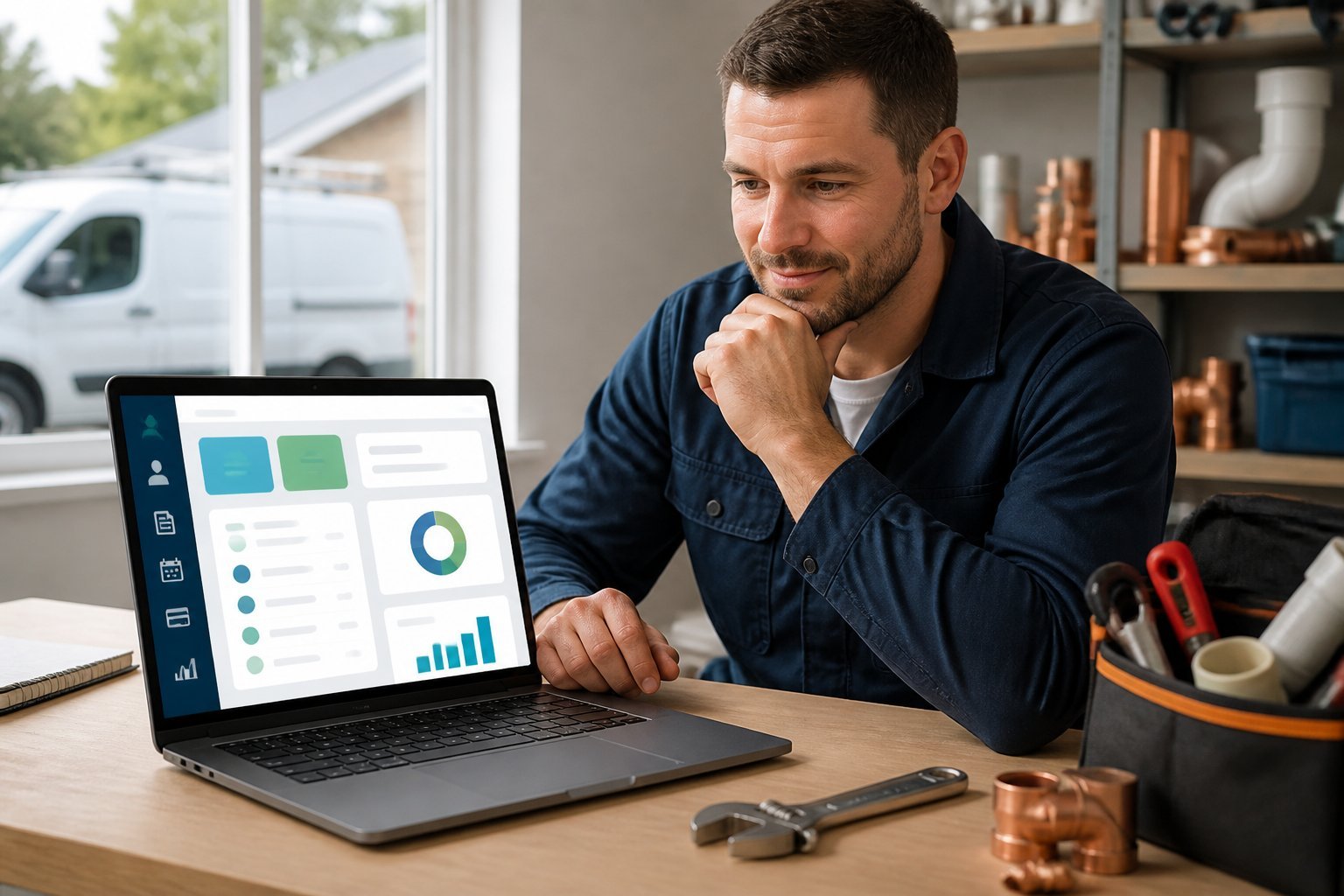
Choose software that lets you bill from the job site, accept convenient payment methods, retain service details, and organize financial records. The right combination reduces duplicate data entry and helps you monitor each job’s profitability and tax obligations.
Mobile Estimates and Invoices
A mobile app should let you create an estimate while inspecting a property, then convert approved work into an invoice without retyping labor, materials, or customer details. Look for customizable templates that display your business name, license information, payment terms, itemized services, taxes, and accepted payment methods.
Offline access matters when you work in basements, rural areas, or buildings with unreliable reception. The app should save changes locally and sync them when you reconnect. You should also be able to attach photos, notes, permits, and signed approvals to the job record.
Check whether the software supports recurring invoices, deposits, progress billing, discounts, and partial payments. Automatic reminders can reduce follow-up work, but you should control their timing and wording so they suit your customer relationships.
Payment Processing Options
Your software should support the payment methods your customers actually use, such as credit cards, debit cards, ACH transfers, checks, and cash. Online payment links embedded in emailed or texted invoices can shorten the time between completing a repair and receiving payment.
Compare processing fees, monthly charges, deposit timing, and chargeback procedures before activating payments. Some platforms use their own payment processor, while others connect with services such as Stripe or QuickBooks Payments. Confirm whether the system records processing fees separately and reconciles deposits with the correct invoices.
You should also check for deposits, tipping controls, saved customer payment methods, and payment reminders. Never store card details outside a compliant processor, and review user permissions so technicians cannot access financial information they do not need.
Customer and Job History
Customer records should connect people, properties, equipment, estimates, invoices, and payment activity. For plumbing work, you may need separate service histories for multiple addresses belonging to one customer, such as a home, rental unit, or commercial property.
Useful records include fixture models, pipe sizes, warranty dates, previous failures, photos, permits, and technician notes. Searchable tags can help you find customers by property, service type, unpaid balance, or maintenance interval.
Look for a timeline that shows when you scheduled the visit, sent the estimate, received approval, completed the work, and collected payment. You should be able to export records and control access by employee role. These features help you answer customer questions quickly and avoid repeating diagnostic work.
Tax and Expense Tracking
Select software that separates taxable and nontaxable labor, materials, service charges, discounts, deposits, and reimbursements. You should be able to assign tax rates by location when local rules require different rates, while verifying the settings with your accountant or tax authority.
Expense tools should let you record supplier purchases, fuel, vehicle costs, software subscriptions, insurance, tools, and subcontractor payments. Receipt capture through a phone camera can reduce missing documentation, especially when you buy parts during a call.
Useful reports include income, expenses, unpaid invoices, sales tax collected, payment fees, and profit by job or customer. Integration with accounting software can reduce manual entry, but confirm that transfers preserve invoice numbers, tax categories, customer names, and payment dates. Keep original receipts and review automated categorization before filing returns.
Leading Platforms for Independent Contractors
Your best choice depends on whether you need a complete field-service system or mainly want to create invoices and collect payments. Compare mobile access, estimate-to-invoice workflows, payment processing, accounting integrations, and the total monthly cost before choosing.
Jobber
Jobber combines quoting, scheduling, client management, invoicing, and payments in one platform. You can create an estimate, obtain customer approval, convert it into a job, and send the invoice from the same workflow. Its mobile app helps you manage customer details, job notes, photos, and payment status while working on-site.
You can accept online payments and set up automated reminders, which reduces manual follow-up on overdue invoices. Jobber suits plumbers who want more than standalone billing software, particularly when they manage recurring maintenance, multiple appointments, or a small team. Check the plan limits carefully because features such as advanced automation, two-way text messaging, and certain payment tools may depend on your subscription.
Housecall Pro
Housecall Pro focuses on field-service operations, with scheduling, dispatching, estimates, invoicing, and payment collection connected in one system. You can send a quote from the job site, convert approved work into an invoice, and allow customers to pay online. The platform also supports customer notifications and digital receipts.
Its interface works well when you need to coordinate several daily appointments or technicians rather than handle occasional invoices. You should review the available plan features for recurring services, equipment tracking, follow-up automation, and team permissions. Payment-processing fees apply separately from software charges, so calculate your likely card and online-payment volume before comparing prices.
QuickBooks Online
QuickBooks Online provides strong accounting features alongside estimates, invoices, expense tracking, bank feeds, and financial reports. You can customize invoices, schedule recurring bills, record deposits, and connect transactions with your business accounts. Its broad accountant and app ecosystem can simplify tax preparation and reconciliation.
QuickBooks Online works best when accurate bookkeeping matters as much as field billing. It does not provide the same depth of scheduling and dispatch tools as dedicated plumbing platforms, so you may need another app for job management. Confirm whether your selected plan includes the users, automation, inventory functions, and payment features you need. Online payments and payroll generally create additional costs.
FreshBooks
FreshBooks targets independent professionals who want straightforward invoicing, expense tracking, time tracking, and client communication. You can create branded invoices, request deposits, add late fees, send recurring invoices, and accept online payments. Its mobile app lets you issue invoices and check payment activity away from your desk.
The platform suits a solo plumber who tracks labor and materials without needing complex dispatching. FreshBooks can connect with selected payment services and business apps, but its job-management capabilities remain narrower than those of Jobber or Housecall Pro. Before subscribing, check client limits and whether your preferred payment method, accountant workflow, and expense categories fit the plan.
Invoice2go
Invoice2go concentrates on quick invoice creation for small businesses and independent contractors. You can build branded invoices from a phone, attach photos or documents, send estimates, track whether customers viewed invoices, and accept online payments through supported providers. This makes it useful when you need to bill immediately after completing a repair.
It offers a simpler setup than an all-in-one plumbing platform, which can keep costs and administration manageable for a solo operator. However, you should not expect advanced scheduling, dispatching, job costing, or full accounting features. Review the current subscription limits, supported payment methods, transaction fees, and export options before relying on it as your primary recordkeeping system.
Choosing a Solution for Your Workflow
Your best choice depends on your monthly budget, payment volume, field conditions, and existing business systems. Compare total costs, mobile reliability, accounting connections, and scheduling features rather than judging software by its invoice template alone.
Budget and Transaction Fees
Start with the costs you will pay every month and on each transaction. Some platforms charge per user, customer, invoice, or feature. Others offer free invoicing but apply payment-processing fees when customers pay by card or bank transfer.
Calculate your expected monthly volume before choosing a plan. For example, a low-volume independent plumber may prefer a basic invoicing app, while a busy operator may save time with integrated estimates, recurring service billing, customer records, and payment reminders.
Check whether the plan includes:
- Unlimited invoices and estimates
- Recurring invoices or service agreements
- Payment links and deposits
- Multiple users or technicians
- Data export and customer support
Read the processor’s rates separately from the software price. A lower subscription can cost more if you process many card payments or pay extra for essential features.
Field Use and Offline Access
You should be able to create an estimate, update a job, and send an invoice from a customer’s property. Test the mobile app on your phone before committing, including photo attachments, signatures, line-item edits, tax calculations, and payment collection.
Offline access matters when you work in basements, rural areas, or buildings with unreliable reception. Confirm exactly which actions remain available without a connection and whether the app automatically synchronizes changes later. Some systems let you draft invoices offline but require internet access to send them or process payments.
Choose software with a clear interface and minimal typing. Customer and property details should load quickly, and you should be able to convert an approved estimate into an invoice without re-entering parts, labor, or service notes.
Accounting and Scheduling Integrations
If you already use accounting software, choose an invoicing platform that connects directly to it. Integration can transfer customers, invoices, payments, taxes, and expenses, reducing duplicate entry and helping you keep receivables accurate.
Verify how the connection handles payment-processing fees, refunds, deposits, sales tax, and partially paid invoices. A one-way export may work for occasional billing, while automatic two-way synchronization suits businesses that manage frequent transactions.
Scheduling and dispatch features also vary widely. A simple invoicing app may suit you if you manage appointments with a calendar. If you need technician availability, recurring maintenance visits, job status updates, service history, and automatic invoice creation, consider field-service software such as Jobber or Housecall Pro. Confirm that the integration supports your accounting platform before you migrate customer and financial records.
Setting Up a Professional Billing Process
A reliable billing process starts with consistent service details, clear payment expectations, and timely follow-up. Your invoicing software should help you standardize routine work, explain charges, and reduce manual collection tasks.
Creating Service Templates
Create templates for common jobs such as drain cleaning, water-heater replacement, fixture installation, leak detection, and emergency callouts. Include a clear service name, standard description, typical labor unit, and any commonly used materials. You can adjust quantities or prices for each job without rebuilding the invoice.
Use separate line items for labor, materials, diagnostic fees, disposal charges, permits, and travel fees. This gives customers a transparent breakdown and helps you track profitable work. Add notes for warranty terms, exclusions, or conditions that could change the final price.
If your software supports estimates, connect each template to an estimate and invoice. After completing the job, update quantities and record actual materials used before sending the final bill. Review tax settings, pricebook updates, and template descriptions regularly.
Defining Payment Terms
State your payment terms on every estimate and invoice. Specify the due date, accepted payment methods, late-payment policy, and whether you require a deposit. For larger installations, you might request a deposit before ordering equipment, a progress payment when work reaches a milestone, and the remaining balance after completion.
Choose terms that match your work and local requirements. For smaller residential repairs, payment on completion often keeps the process simple. For commercial customers, you may offer net terms only after confirming their billing procedures and credit history.
List card, bank-transfer, cash, and check options if you accept them. If your software supports mobile payments, let customers pay at the property and provide a digital receipt. State service charges or card-processing fees clearly and apply them only when permitted by applicable law.
Automating Reminders
Set reminders based on the invoice due date rather than sending the same message to every customer. A practical schedule includes a confirmation when you send the invoice, a reminder several days before it is due, and a past-due notice shortly after the deadline.
Keep each message brief and include the invoice number, balance, due date, payment link, and your contact information. Use a professional tone, especially for the first overdue reminder. For repeat late payments, require a deposit or payment on completion before scheduling additional non-emergency work.
Check that your automation stops after payment posts. Review failed emails, bounced messages, and unpaid invoices regularly so you can contact customers through another channel when necessary. Use software reports to identify overdue balances without relying on memory or separate spreadsheets.
Protecting Financial and Customer Data
Choose invoicing software that limits access, protects payment information, and preserves accurate records. You should review permissions regularly, use compliant payment processing, and maintain reliable backups outside the app.
User Permissions
Give each employee only the access required for their role. A technician may need to view appointments, customer addresses, estimates, and job notes, while an office administrator may also need to edit invoices, issue refunds, or review payment status.
Look for role-based permissions that separate tasks such as invoicing, reporting, customer management, and account administration. Avoid sharing one login among your team because shared credentials make activity difficult to trace and increase security risks.
Enable multi-factor authentication wherever the software supports it. Remove access immediately when a worker leaves, changes roles, or no longer needs account access. Review user lists and permission settings at least quarterly, and check audit logs for unexpected invoice edits, refunds, or changes to customer records.
Secure Payment Compliance
Use an invoicing platform that processes card and bank payments through a reputable, compliant payment provider. The provider should handle sensitive card data through a secure payment page or hosted checkout so you do not store full card numbers on your phone, computer, or in invoice notes.
Confirm that the platform supports PCI DSS-compliant processing, encryption during transmission, and fraud monitoring. Keep payment links inside the official invoice rather than sending card details through text messages or email. Use strong passwords for payment and accounting accounts, and activate multi-factor authentication for every user who can access payment information.
Check transaction fees, refund procedures, and deposit timelines before choosing a service. Retain receipts and payment confirmations, but avoid collecting more personal information than you need to complete the job and comply with applicable tax or accounting requirements.
Record Backup Practices
Do not rely on a single invoicing platform as your only record of completed work. Export invoices, estimates, payment records, customer contact details, and tax reports on a regular schedule, using formats such as PDF and CSV when available.
Create a backup routine that matches your workload. A solo plumber may export records monthly, while a busy service business may need weekly or daily backups. Store copies in a secure cloud location and, when practical, keep an additional offline copy protected from unauthorized access.
Use clear file names that include the customer, invoice number, and date. Test your backups by opening sample files and confirming that they contain the information you would need to verify a charge, answer a customer question, or prepare tax records. Keep records for the period required by your local tax and business rules.
Measuring Results After Implementation
Track operational and financial changes with the same baseline you recorded before adopting the software. Focus on how quickly you send invoices, how unpaid balances change, and how customers respond to payment options.
Invoice Turnaround Time
Measure the time between job completion and invoice delivery. Your invoicing software should reduce manual data entry by carrying labor, materials, taxes, notes, and approved estimate details into the final invoice.
Record the median turnaround time each week rather than relying only on an average. A few unusually delayed jobs can distort the average, while the median shows your typical performance. Segment results by job type, technician, and whether the invoice requires office review.
Also track the percentage of invoices sent on the same day as completion. If that rate does not improve, review workflow settings, mobile access, required fields, and approval steps. Monitor invoice corrections and credit notes as well; faster delivery has limited value if you frequently send inaccurate bills.
Outstanding Balance Trends
Compare your accounts receivable balance before and after implementation. Track total unpaid revenue, the number of overdue invoices, and the age of each balance using categories such as current, 1–30 days late, 31–60 days late, and more than 60 days late.
Pay particular attention to the amount older than 30 days. A falling total balance can hide a growing group of seriously overdue accounts. Review results by customer type, invoice value, payment method, and service category to identify specific collection problems.
Use the software’s payment records to calculate days sales outstanding (DSO):
DSO = Outstanding receivables ÷ Credit sales during the period × Number of days
Check whether automatic reminders, online payment links, deposits, or card payments reduce overdue balances. Include processing fees and subscription costs when assessing the financial effect.
Customer Payment Behavior
Examine how customers pay after you introduce digital invoices and payment options. Measure the share of invoices paid online, by card, bank transfer, check, or cash, along with the average number of days from invoice delivery to payment.
Track payment behavior by customer group and invoice size. Residential customers may pay immediately through a mobile link, while property managers may follow scheduled approval cycles. This distinction helps you set appropriate due dates without treating every late payment as a collection failure.
Review reminder activity and payment outcomes monthly. If customers open invoices but do not pay, simplify the payment screen, clarify due dates, and display accepted methods prominently. If customers rarely open electronic invoices, verify contact details and delivery settings. Record failed transactions, disputed charges, and partial payments so you can address recurring issues rather than counting only successful payments.